The StoryKeeper's Guide
How to Film a Family Documentary on Your Phone
The true cost of cinema isn't found in a catalog. It's found in your hands, and in knowing which moments to capture.
By LifeScape · Updated November 2026 · 9-minute read
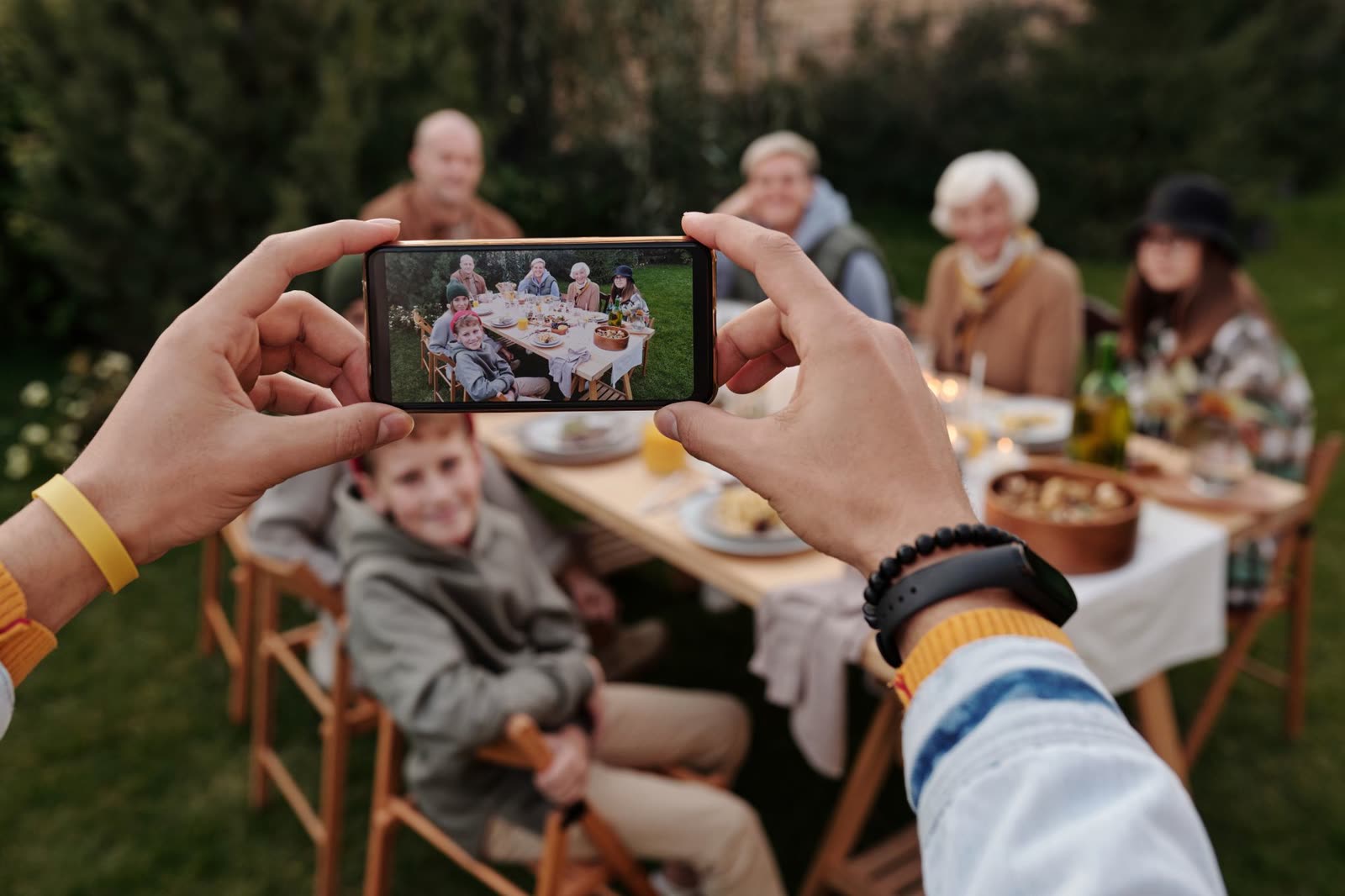
Many people believe a cinematic film needs a cinematic budget: a new camera, a shelf of lenses, a bag of gear. It doesn't. The phone in your pocket can make a family story look and feel like a documentary.
The difference between a forgettable video and a story people watch again isn't equipment. It's light, steadiness, sound, and above all which moments you choose to capture, and how well you capture them.That last part is the most overlooked step in storytelling, so we'll start there.
The most overlooked part of storytelling: capturing the right moments
Ask most people how to make a better video and they'll talk about editing: music, transitions, filters. But editing can only arrange what was captured. No software on earth can fix a moment that was never filmed, or one that was filmed badly. A dark, shaky, muddy clip stays dark, shaky and muddy. A moment you missed stays missed.
That's why the most important storytelling decisions happen before anyone opens an editing app. They happen with the phone in your hand:
- Capturing the right moments: not just the touchdown, the candles or the kiss, but the moments around them that explain why they mattered.
- Capturing them correctly: well lit, steady, close enough, with clear sound, and held long enough to use.
Feed a story good raw footage and putting it together is a pleasure. Feed it poor footage and it becomes a rescue mission. At LifeScape, where families turn everyone's photos and videos into short cinematic stories called Momentaries, we see it every day: the best stories don't come from the best phones. They come from people who knew what to look for.
Before you press record: know the story you're telling
Every great documentary starts with a question: “When someone watches this years from now, what do I want them to understand, remember, or feel?”
Your answer becomes your story's arc: a beginning, a journey, a defining moment and a closing. Once you know the arc, you know what to film. If your birthday story is “look how far you've come,” you need a photo from an earlier birthday. If your season story is “the underdog,” you need footage from the hard early practices, not just the final win.
Light: the free upgrade that changes everything
Light does more for your footage than any camera upgrade, and it costs nothing.
- Avoid harsh overhead light. Ceiling lights cast shadows under the eyes and flatten faces.
- Use side light. Turn your subject so a large window or a single soft lamp is about 45 degrees to one side. The gentle shadow on the other side of the face adds shape and depth, the “expensive” look of film.
- Keep bright windows behind you, not behind them. A bright window behind someone turns them into a silhouette.
- Outdoors, look for open shade or the soft light of early morning and late afternoon, not noon sun.
Steady shots, with or without gear
Shaky footage is the fastest way to make a story look homemade. You have three options, from free to fancy:
- Your body (free): hold the phone with both hands, tuck your elbows against your ribs, and lean on a wall, a doorframe or a table. Move slowly, like you're carrying a full cup of coffee.
- A selfie stick or small tripod (inexpensive): gives you height, reach and a steady base for interviews and group shots.
- A 3-axis gimbal (an upgrade): a motorized handle that smooths out every small jitter, so the camera glides like a professional rig. Worth it if you film often.
Space and depth: pull your subject off the wall
Never sit someone flat against a wall. Bring them several feet forward so there's space between the camera, the person and the background. That distance creates depth: the background falls softer and the person stands out, the look you associate with expensive lenses. Many phones' portrait or “cinematic” video modes add to the effect.
Phone settings that matter
| Setting | What to do |
|---|---|
| Orientation | Hold the phone sideways (horizontal). It fills a TV, a laptop and the LifeScape player. |
| Frame rate | 24 fps for a film look (30 fps is fine too). Switch to 60 or 120 fps only for moments you'll show in slow motion. |
| Focus and exposure lock | Tap and hold on your subject until the phone locks focus and brightness, so the picture doesn't pulse when someone walks by. On many Android phones, use Pro mode. |
| Zoom | Don't pinch to zoom. Walk closer, or switch to the phone's 2x or 3x lens if it has one. |
| Clean lens | Wipe the lens with a soft cloth first. A fingerprint makes everything look hazy. |
| Hold each shot | Start recording 5 seconds before the action and stop 5 seconds after. Trim later; you can't add what you didn't film. |
Sound: half of what people feel
Viewers forgive a slightly soft picture. They don't forgive sound they can't hear. For interviews and toasts, get the phone close to the person speaking, turn off fans and TVs, and shield the microphone from wind outdoors. A small clip-on microphone is one of the best-value upgrades a StoryKeeper can make.
Close-ups and emotion: where the documentary soul lives
Let the camera linger
Real feeling isn't written into a caption. It lives in the unscripted pauses. When someone finishes speaking, keep recording for a few more beats. The glance away, the deep breath, the small smile: that is often the most moving moment in the whole story.
Make close-ups look professional
Move the phone physically closer instead of zooming. Keep it at eye level or slightly above, and tap to focus on the eye nearest the camera. A sharp eye makes a close-up feel intimate and expensive.
Cut-aways (B-roll): your secret to momentum
A long shot of someone talking gets tiring within seconds. Cut-aways, also called B-roll, are short shots of the things being talked about: hands, places, objects, faces listening. If Grandma talks about her wedding photo, film a slow, close shot of that photo. Cut-aways keep the story moving, hide edits in the conversation, and show what's being said.
A simple shot list for any event
Whatever you're filming (a birthday, a game, a wedding, a holiday), try to come away with:
- A wide shot that shows where you are.
- The preparation: setting up, getting ready, the nerves.
- The people, in medium shots and close-ups.
- The details: hands, decorations, the cake, the cleats.
- The main moment, filmed steadily from start to finish.
- The reactions to it: the most overlooked shot of all.
- A few words on camera: “What will you remember about today?”
- The quiet ending: the last hug, the empty room, the drive home.
Putting it together: trim the fat, keep the meaning
When it's time to assemble, be ruthless. Trim the dead air at the start and end of every clip. Keep only what serves your story's message, in the order of your arc. Short and meaningful beats long and complete: that's why a LifeScape Momentary is always under 90 seconds.
On LifeScape, the StoryKeeper does this in one place: everyone's photos and videos arrive together, you trim each clip with a simple start-and-end slider, place it in a scene, and a clock shows how many of your 90 seconds you've used. Then the story plays as a cinematic film, with title cards and music, for exactly the people you choose.
Become a StoryKeeper
Your family already has the footage. LifeScape turns it into the story.
Questions StoryKeepers ask
Do I need an expensive camera to make a family documentary?
No. A modern smartphone is enough. Light, steadiness, sound and above all choosing the right moments matter far more than the price of the camera.
Should I film at 24, 30 or 60 frames per second?
Use 24 fps for a cinematic look, or 30 fps if your phone defaults to it. Choose 60 or 120 fps only for moments you plan to show in slow motion, and keep one frame rate for the rest of the story.
Should I film vertical or horizontal?
Hold the phone sideways (horizontal) for anything that will play as a film. It matches how stories are watched on a TV, a laptop or the LifeScape player.
How long should each clip be?
Hold every shot for at least 5 to 10 seconds before and after the action. You can trim it later, but you can't add seconds you never filmed.
What is the most overlooked part of making a family video?
Capturing the moments around the main event: the preparation, the reactions, the quiet moments before and after. They explain why the main moment mattered.
How does LifeScape help?
LifeScape gathers the photos, videos and voices everyone captured into one place, and a StoryKeeper shapes them into Momentaries: short cinematic stories under 90 seconds.
LifeScape. From Moments to Momentaries.